Full-Text Search or Catalogue Filters? Choosing the Right Route Through an Archive
Full-text search or catalogue filters? Learn which route suits a known title, subject or detail, and what to try when an archive search misses.
Full-text search or catalogue filters is a choice that can decide whether an archive search feels precise or fruitless. If you know a document’s title, a phrase from its pages, or a detail such as its date or format, the best starting point depends on where that information is stored: in the item’s text or in its catalogue record.
These routes search different things. Full-text search looks inside digitised or transcribed material. Catalogue filters narrow records using fields assigned by the archive, such as title, creator, subject, date, collection or format. Trouble begins when a searcher asks one route to find information that exists only in the other.
Two search layers
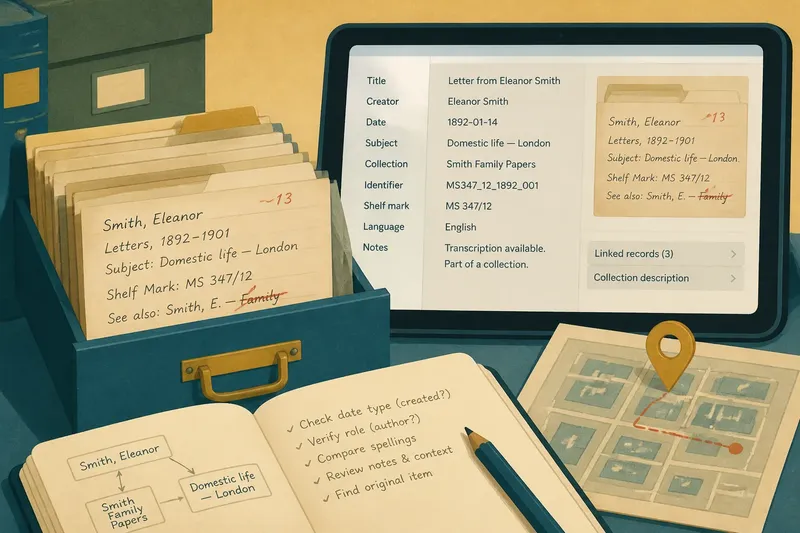
A catalogue record describes an item. It may contain a title, creator, date, subject headings and a short description, even if the item itself has not been transcribed. Filters use these fields to include or exclude records. They are especially useful when you know what kind of item you need but cannot recall its wording.
Full-text search scans the words available from the item’s pages. Those words may come from machine-readable text, a human transcription or both. A scanned page with no text layer cannot usually be searched this way, although it may still appear in the catalogue.
There is a third layer worth recognising: a search box may search both records and item text, or switch between them without making the distinction obvious. Look for labels such as “Search within this collection”, “Full text” or “Record fields”. If the interface does not explain its scope, check the result page for an indication of what was searched.
Known titles and phrases
Start with catalogue fields when you know a formal title, creator, collection name or approximate date. These details are often indexed as record fields, so the catalogue can return an item even when its pages are not transcribed. Enter the title in the title field if one is available, then use a date or collection filter to narrow the results.
Use full text when you remember wording from inside the item rather than its catalogue description. A distinctive phrase from a letter, report or pamphlet can point directly to a page. If the words may have been transcribed imperfectly, search a shorter phrase or a less distinctive word as well.
Exact phrase searching can help with a remembered quotation, but it can also hide a match. The punctuation may differ, a line break may interrupt the phrase, or optical character recognition may have mistaken a letter. Search a few meaningful words without quotation marks before deciding that the item is absent.
When a search misses
No result for a quoted phrase: The phrase may not appear in the text layer exactly as you typed it. Remove quotation marks, try a distinctive word on its own, then search the title or subject fields for the likely item.
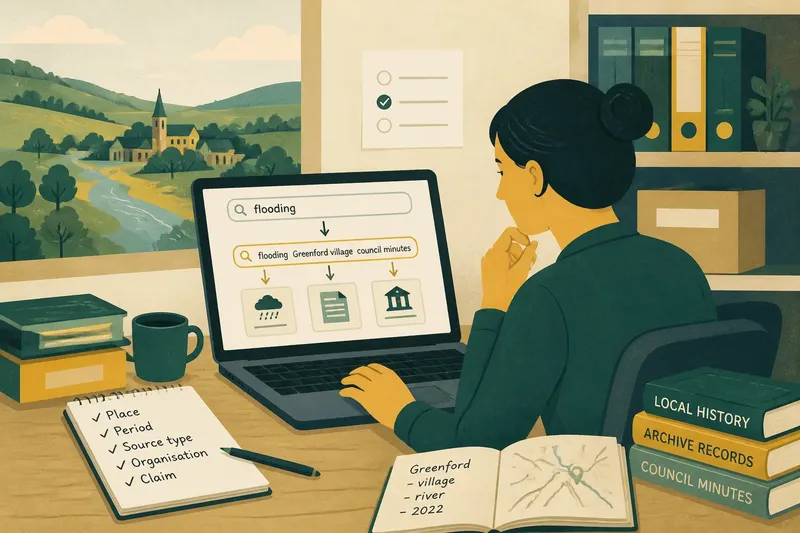
Too many unrelated results: A common word may occur throughout the archive. Add a catalogue filter such as collection, creator, date range or item type. If you are searching full text, use a phrase that is specific to the document rather than a broad subject term.
The item appears, but the page does not: The catalogue may describe the item without searchable page text. Open the item record and inspect its scans, contents list or transcription options. If the archive provides page-level search separately, use that facility rather than repeating the same record query.
A filter removes a likely match: The record may use a different date, spelling or subject term from the one you expect. Clear one filter at a time and see which change brings the item back. This makes it easier to spot an overly narrow field rather than abandoning the search altogether.
Choosing a search route?
What should I use for a known title?
Search the catalogue’s title field first, using a short distinctive part of the title if the complete wording fails. Then try full text only if you want to find the title as it appears on a page or locate mentions inside other items.
How do I find a topic with several names?
Begin with catalogue subject headings or collection descriptions, which may group material under an established term. Then search full text for alternate words, older expressions or names that the catalogue record does not include.
Why does full-text search miss a word I can see?
The visible page may be an image, while the searchable transcription contains a recognition error or has not been indexed. Try a neighbouring word or a catalogue search for the item, then inspect the page directly if the archive makes it available.
Can catalogue filters search inside a document?
Usually, filters operate on descriptive fields rather than every word in the item. Some archives combine both systems, so check the interface’s search scope before treating a filtered result as a full-text search.
Work from the clue
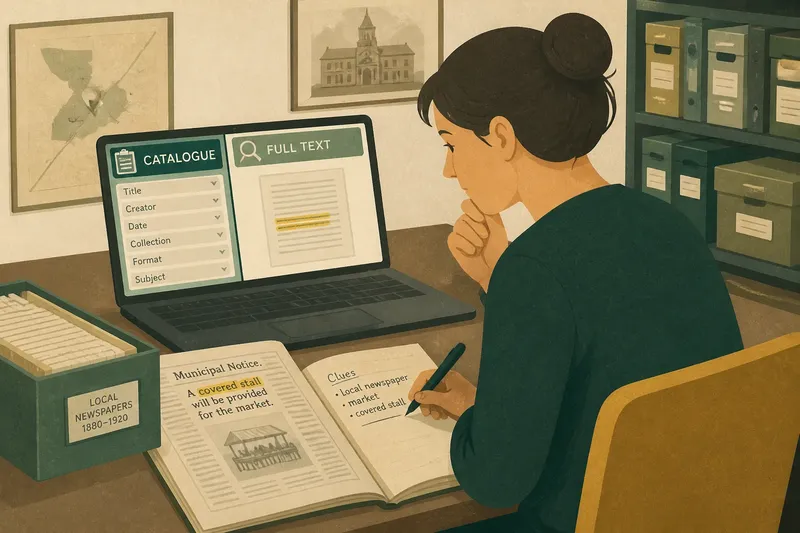
Say you are looking for a municipal notice about a market, but remember only that it appeared in a local newspaper and mentioned a covered stall. Start with catalogue filters for the newspaper collection and the likely publication period, if those fields are available. Then search full text for “covered stall” without quotation marks. If that produces nothing, try “stall” and inspect likely issues; the phrase may have been transcribed differently or the page may not have searchable text.
The sequence matters because each clue belongs to a different layer. “Newspaper” is likely to be a catalogue attribute; “covered stall” is wording from the item. Searching each clue in its natural place gives a useful result even when one part of the record is incomplete.
Read the fields carefully
Catalogue values are not always literal descriptions of what a reader sees on the page. A date might refer to the item’s creation, publication, accession or a span of years. A subject heading may describe a broad theme rather than repeat the language used in the document. Before tightening filters, inspect the field label and the record itself.
Field names also differ between archives. “Creator” might mean an author, photographer, issuing body or organisation responsible for the item. A format filter may refer to the original object, the digital copy or the kind of record. Where the distinction affects your search, use the archive’s field definitions rather than assuming familiar terms mean the same thing everywhere.
Spelling variation needs similar care. A catalogue may standardise a person’s name while the item uses an older form, or it may group several editions under one record. Search a likely name in the catalogue, then use full text for variants and references within the pages. If a label, archive instruction or local rule determines how a field works, follow that guidance.
Use both without doubling back
Switching between catalogue and text search is not wasted effort when each pass has a distinct purpose. Use catalogue fields to establish the likely item, collection or date. Use full text to locate wording within that material. If the text search returns a page without a useful record, return to the catalogue to understand its provenance and neighbouring items.
Keep filters broad until the search has produced a recognisable set of records. A narrow date range and several subject terms can exclude an item because its record uses a different convention. Add one field at a time, and remove it if the results no longer fit what you know.
It is not worth trying every possible spelling in a single long query or applying every filter at once. Those tactics obscure which clue helped and which restriction caused the miss. A small, deliberate change is easier to assess.
For full-text search or catalogue filters, the practical question is not which system is better, but where the clue belongs. Titles, creators and archival descriptions point towards catalogue fields; remembered wording points towards item text. When a search fails, check whether the information exists in the layer you searched before assuming the archive does not hold it.
One useful habit is to note the exact field or search mode that produced a promising record. The next search can then build on a known route instead of repeating the same query in a different box, and the archive’s descriptive choices become easier to read as evidence about how its collection is organised.